
Mold Base Selection Checklist: From Size to Order Summary
Prepare a clearer mold-base enquiry by checking the plate stack, materials, ejector arrangement and drawing requirements. Use the online configuration as the starting point for review.
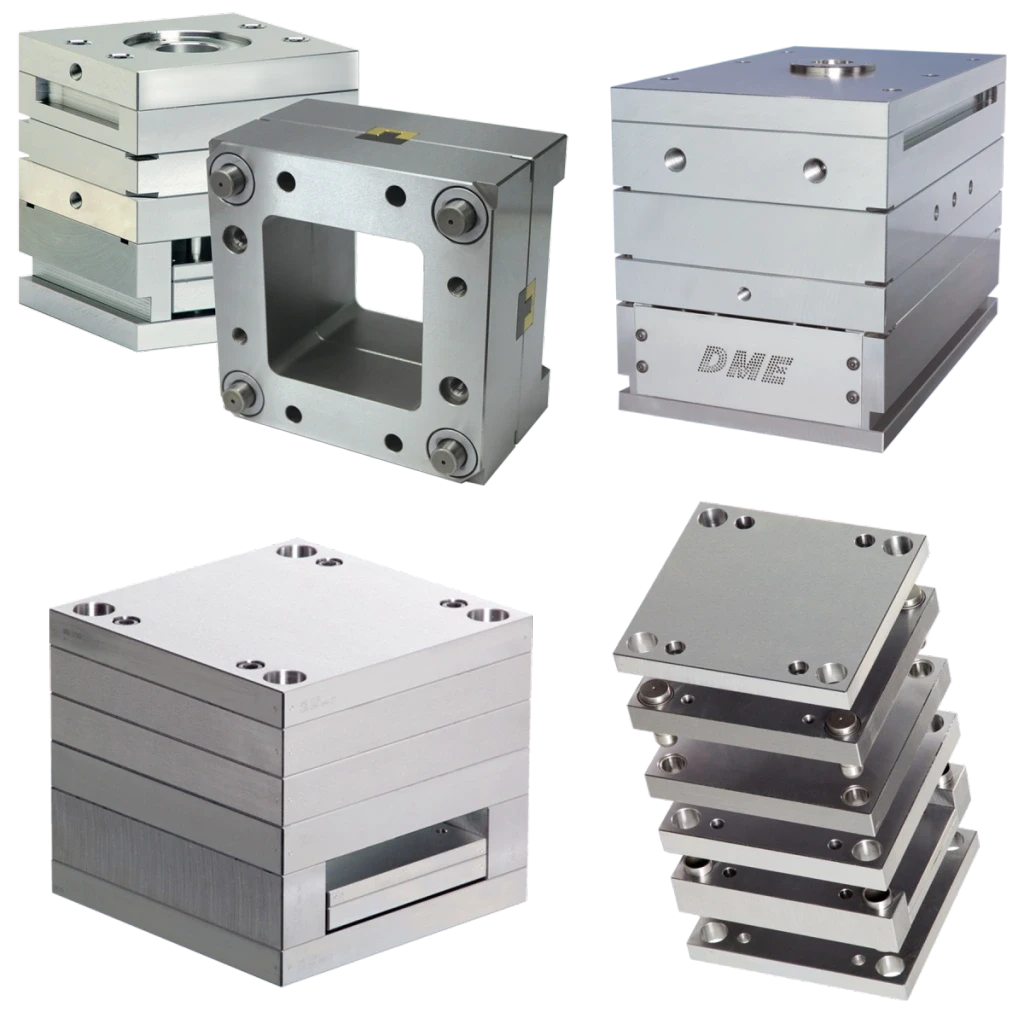
Mold-base photographs and section drawing: DME manufacturer references
Choosing a mold base involves more than finding an available width and length. The enquiry needs to describe the assembly your tool designer intends to use. Treat the online configuration as a way to collect that requirement, then review the component list and drawings before approving the order.
Start with the designer’s requirement
Ask the tool designer to identify the required base layout and the machine information that must be checked. Keep the approved assembly drawing with the enquiry. If an important feature is undecided, mark it as a question for review instead of selecting an arbitrary option simply to complete the form.
- Record the tool or project reference and the current drawing revision.
- Separate the requested mold-base dimensions from the dimensions of individual inserts or plates.
- List machine-interface requirements for the designer and supplier to confirm.
- Identify which machining and assembly work is included in the supply and which remains with your tool room.
Review the assembly, plate by plate
Use a component schedule rather than a single overall size. Check the clamping plates, core and cavity plates, any back or support plates, risers and ejector plates in the configuration. Record the material and thickness for each required component. DME’s mold-base catalogue shows different plate arrangements and material choices, illustrating why an assembly description needs more than its outside dimensions.
Technical reference: DME — Mold Bases and Plates catalogue
For your review sheet, give every component its own line: component name, material, length, width, thickness and quantity per assembly. Add a separate quantity for the number of complete mold bases being ordered. This prevents a component quantity from being mistaken for an assembly quantity.
DME A-series and reverse A-series reference drawing: follow the plate stack, guide pin and bush positions, and paired ejector plates. Select the arrangement specified by your tool designer. Image: DME.
Check guidance and ejection as a system
Confirm the guide arrangement and ejector layout against the intended assembly. The designer should review the required movement, available space and compatibility of the chosen components. HASCO’s guidance includes different ejector sequences and application arrangements; a component selected for one sequence cannot simply be assumed suitable for another.
Technical reference: HASCO — Ejection Know-how
A preview is useful for discussing the selected configuration. It is not a substitute for an assembly drawing or a check of clearances, fits and travel. Save any changes to the agreed specification before the order is released, especially when a revised plate thickness affects another component.
What to check in the order summary
- Confirm that the selected configuration is the one reviewed by your team.
- Compare every included component with the approved schedule.
- Check material grades, dimensions and the number of complete assemblies.
- Include drawing references and any requirements that the standard selection does not capture.
- Review the confirmed supply scope, inspection requirements and delivery arrangement before approval.
Component quantities describe one assembly. The order quantity states how many complete mold bases are required.
Use the calculator for individual plates
The metal weight calculator can help estimate simple plate blanks when you know their dimensions and material. Adding solid-blank estimates is not an exact weight for a completed mold base: pockets, holes and other components change the assembly. Use the estimate for discussion and confirm assembly data separately when needed.
Start your requirement in Deulec’s mold-base configurator, review the component summary and submit it for a quotation. Keep your project reference and approved drawings alongside that request so the selected configuration and the intended tool remain connected.
Mold Bases
Turn your requirements into a personal quotation.
Put your numbers to work.
Free tools for your next requirement.